The file system ensures you never lose anything.
Share and track files and folders. control who sees what, and know who looked at what.
- Classic vs. Most recent -
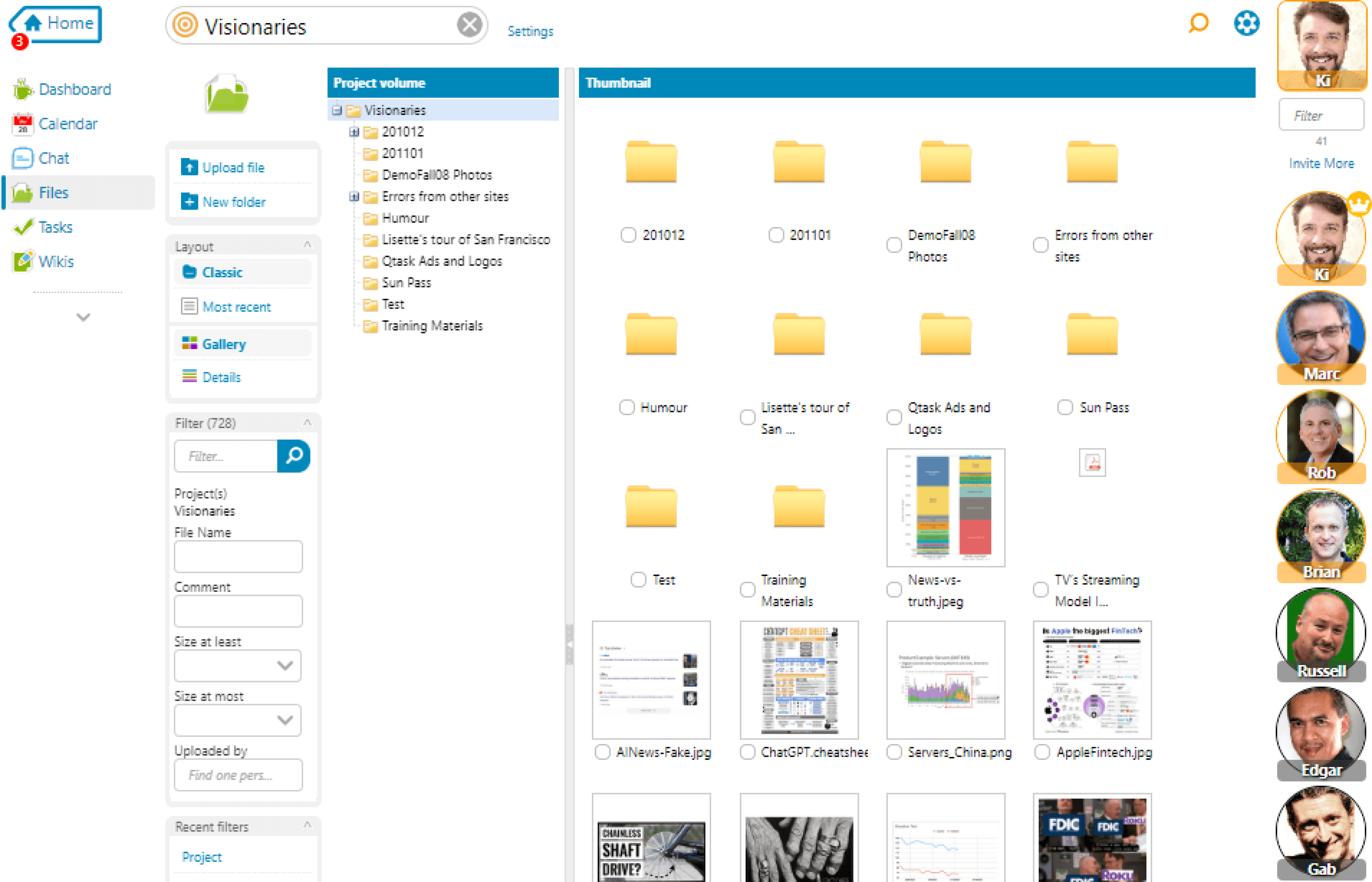
The file system offers your classic view with folders and file names and dates; however, much more useful is to instantly view your files by the ones most recently touched or uploaded.
- Filters -
Imagine being able to find files by "who" uploaded them. Or, to add a comment about the file or tag, just the ones you plan to use during a presentation or trial, and filter for them instantly.
- View -
Files can be viewed in a list or by thumbnails to better identify images.
- WebDAV -
You can mount Tiny Gnomes so that you can drag and drop files right on your desktop. Learn more.
- Zip -
Zipped files can be uploaded and treated as folders, and files and folders can easily be zipped up, making downloading groups of files a snap.
- Syndication -
All files in Tiny Gnomes are private to the project they are in. However, if you are the lead in the project, you can syndicate a file or even an entire folder and give a link to people outside the system.
Great features you won't want to live without
- Lock -
Sometimes you just want to remember something, use Notes on the calendar to remind your whole team about something important.
- Archive -
Learn everything that ever happened to a file, who uploaded it, who updated it, and who looked at it.
- Check-sum -
Tiny Gnomes offers both MD5 and SHA1 checksums to ensure you know the legitimacy of a file.